
Top 10 Windows key shortcuts from the keyboard
Windows key shortcuts are a quick and convenient way to navigate and access various features in Windows operating systems. Here are the top 10 Windows key shortcuts from the keyboard:…
Windows key shortcuts are a quick and convenient way to navigate and access various features in Windows operating systems. Here are the top 10 Windows key shortcuts from the keyboard:…

The key differences between BIOS (Basic Input/Output System) and UEFI (Unified Extensible Firmware Interface) are as follows: Overall, UEFI offers advantages such as faster boot times, better hardware support, enhanced…
You can find the last password change for a user in Active Directory Server 2016/2019 by following these steps: This will display the last password change date and time for…

In this script, we first define the name of the group we want to remove users from. Then, we use the Import-Csv cmdlet to read a CSV file that contains…

TPM (Trusted Platform Module) is a hardware-based security feature that is designed to provide a secure foundation for various security-related tasks, such as encryption, digital signatures, and platform authentication. Microsoft…
This PowerShell script removes KingSoft WPS Office user-based installs from a Windows computer. It first gets a list of all installed programs from the HKCU:\SOFTWARE\Microsoft\Windows\CurrentVersion\Uninstall registry key, filters it to…
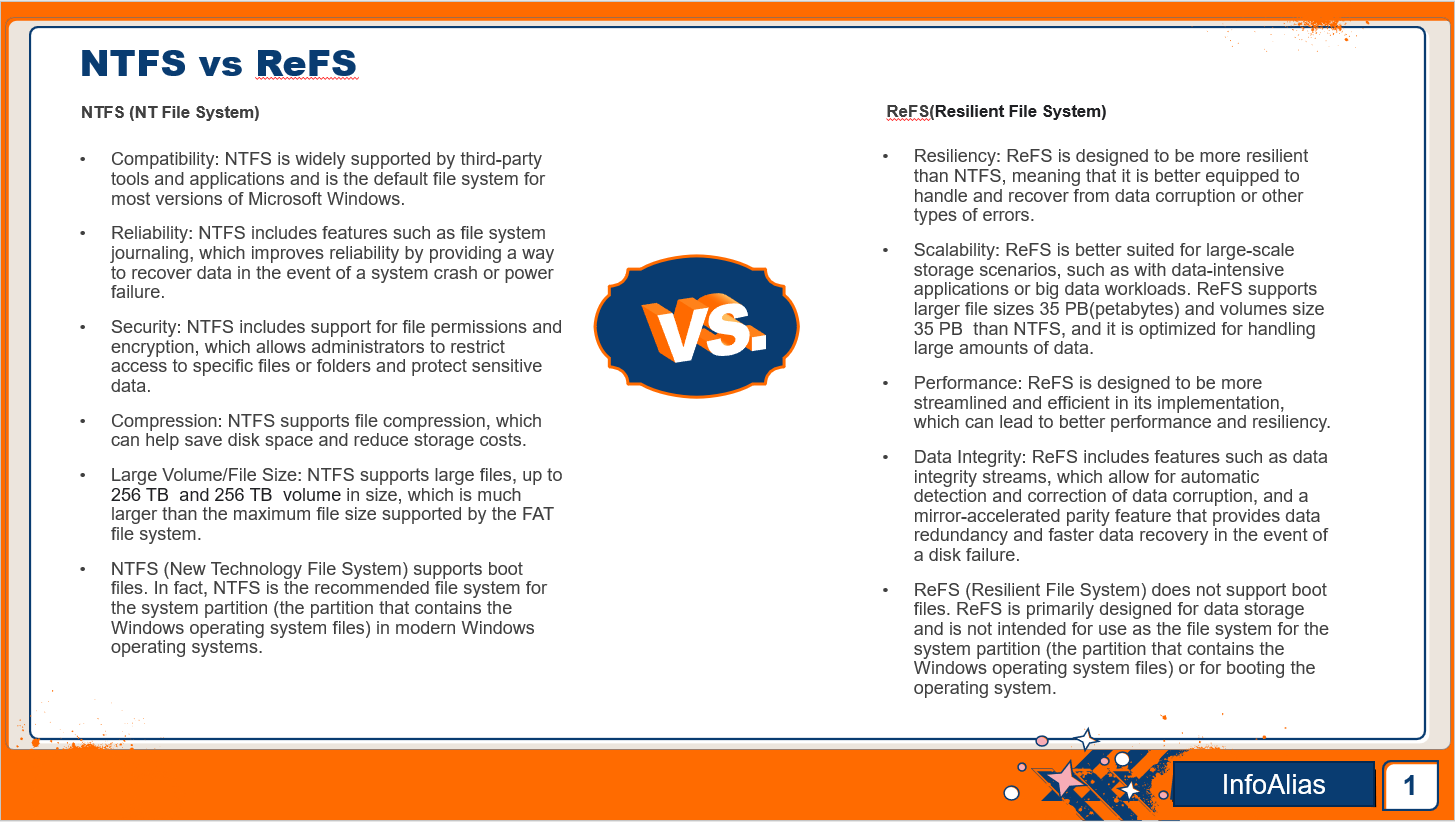
NTFS (New Technology File System) and ReFS (Resilient File System) are both file systems used by Microsoft Windows operating systems. Here are some key differences between the two: Overall, the…
In Linux, a file system refers to the way that files are organized and stored on a computer’s hard disk or other storage device. It is responsible for managing the…
To use the script, save it as a .ps1 file and create a CSV file named “Groups.csv” with the following headers: GroupName, MemberType, MemberName, MemberDomain. In the GroupName column, enter…

This script first imports the Active Directory module, sets the output file path, and then gets all the AD groups using the Get-ADGroup cmdlet. It then loops through each group…